Rising
For your first trends
$9.99/mo$11.99
$119.88 billed once a year · Save $24
30 credits a month
≈ 3 videos
- Credits arrive every month
- Top up with a pack anytime
- Every template and Create your own
Upload a photo of a person or pet for each side of the booth and get your Hotel Lobby AI video: the orange rap duo clip, vertical 9:16 or wide 16:9.
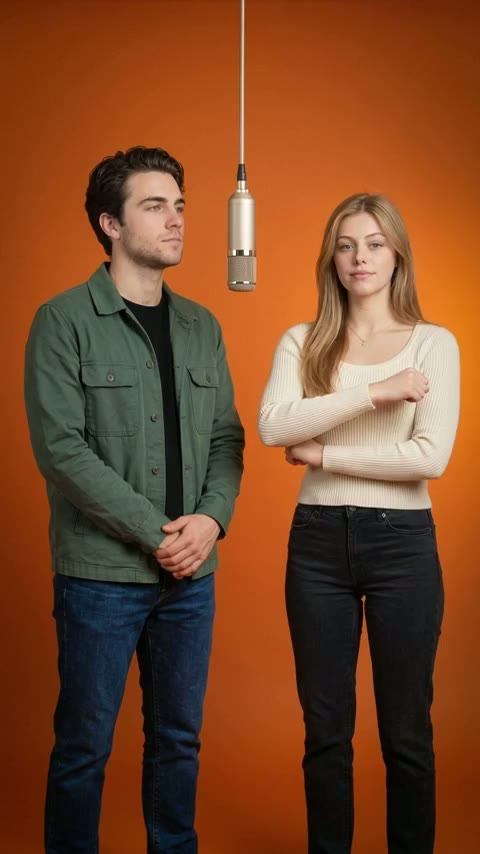
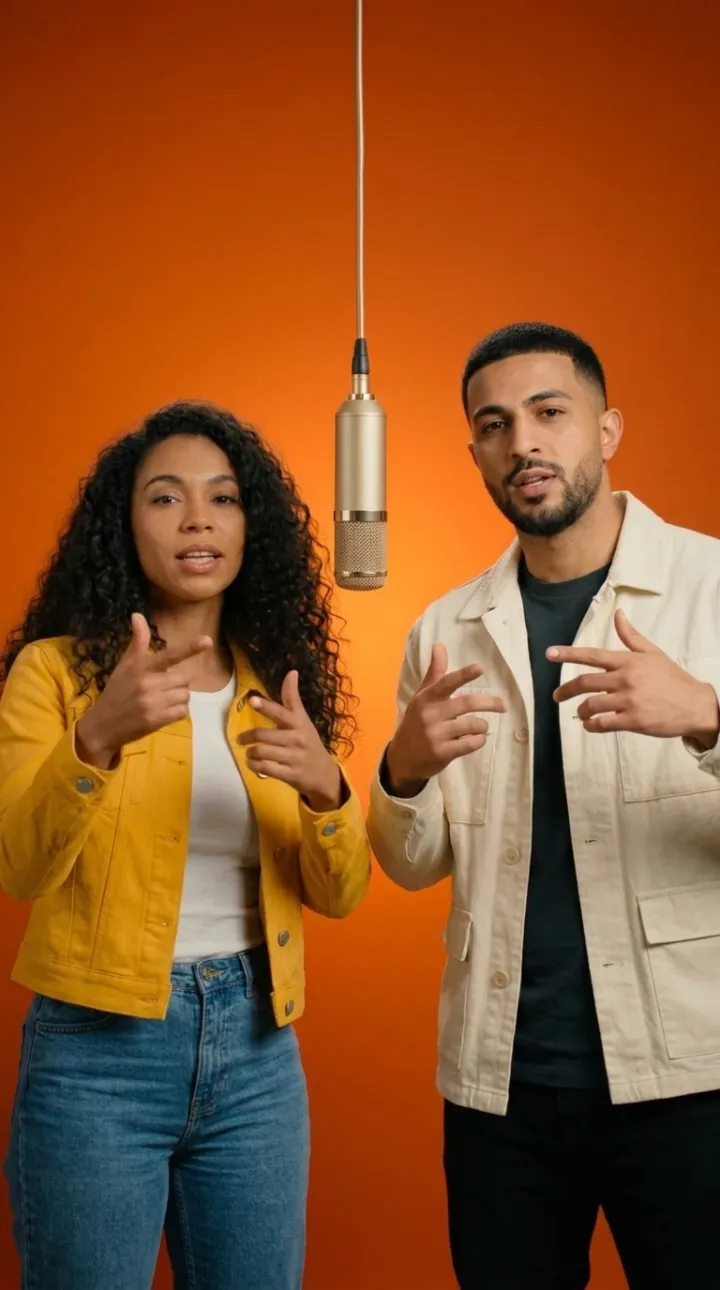
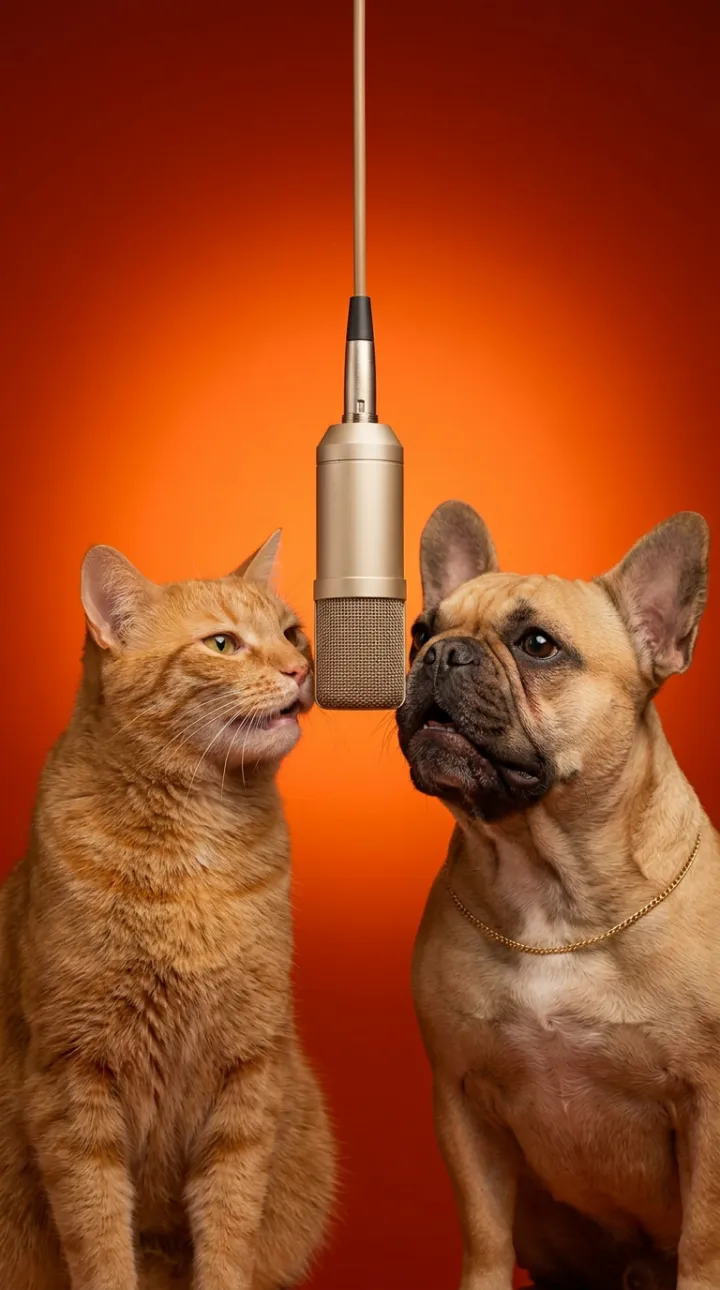
Hotel Lobby AI turns your photos into the meme everyone is remaking: two people in an orange booth, sharing one hanging microphone, trading lines the way Quavo and Takeoff did in their 2022 COLORS performance of "Hotel Lobby". Upload one photo for each side of the booth, a person or a pet, and the Hotel Lobby AI video generator animates both faces to the original moves and timing. There's no prompt to write and no editing app to learn: you get a 15-second clip, vertical 9:16 for TikTok, Instagram Reels or YouTube Shorts, or wide 16:9 for YouTube and X, ready to post with the original sound.
Not sure yet? Ask AI.Get a second opinion on YoAIRap from the AI you use.
Drop a photo. Drop a verse.
Make a rap nobody has heard before. On the home page, upload one or two photos, type what the rap is about and pick a stage: the AI writes the lyrics and the beat and performs them with your faces. Original raps come with sound, 15 or 30 seconds long.
The booth has two spots. Add one clear, front-facing photo for the left side and one for the right. People, cats, dogs and drawn characters all work, and you can mix them. Your photos stay on your device until you sign in and confirm you have the right to use them.
Choose 9:16 or 16:9 and a video quality, and you'll see the credit cost before you start. The video renders on our servers, so you can close the page and come back later. The finished clip waits in My videos, right on this page.
Download the MP4. It has no audio on purpose. When you post on TikTok, pick the original Hotel Lobby sound so your video shows up on that sound's page next to everyone else's version. On Reels and Shorts, add the same song from the app's music library.
The trend takes one specific clip and swaps the people in it. The source is a COLORS session released in June 2022, where Quavo and Takeoff performed "Hotel Lobby" side by side in front of the show's solid orange backdrop, leaning into a single microphone hanging between them. The framing is simple and easy to recognize, which is exactly what makes it fun to remix.
In September 2026 a TikTok creator replaced the duo with two characters from Suits, and that clip passed 1.7 million views in under two weeks (Know Your Meme keeps a dated timeline of the trend). Two days later a version starring two cats took off on X, and pets quickly became the most popular way to do the trend: one cat duo on TikTok passed 700,000 likes. The format kept spreading, and searches for "hotel lobby ai" kept climbing through October. Because Quavo is the face most people connect with the clip, it's also searched as Quavo Hotel Lobby AI, or simply the Quavo AI video trend.
The appeal is the contrast. The booth, the mic and the delivery stay the same, while the faces become your dog, your partner or your best friend. The joke lands at a glance, even with the sound off.
The trend also carries some weight. Takeoff died in November 2022, and some fans have questioned AI remakes of his likeness. This generator is about putting your own people in the booth: it recreates the set and the moves, never the artists' faces, we credit the original performance, and photos of public figures used without their permission aren't allowed.
People look for this trend in different ways: a Hotel Lobby AI filter, a Hotel Lobby AI template, or a prompt to paste into a video app. A filter only changes how an existing video looks, and a single prompt rarely gets the booth, the moves and the timing right at once. Here the template is the whole recipe, so you only bring photos.
This is how your video is made:
We never feed the original footage or the song into the generator. Everything comes from your photos and our own prompts, which is why the result looks like your people performing, not a face pasted onto someone else.
Plenty of apps offer this trend. Here's what you get with ours when you make a Hotel Lobby AI video:
Many people search for Higgsfield Hotel Lobby, because Higgsfield is one of the places the trend gets made. According to Higgsfield's own site, its Genjutsu tool rebuilds a clip from a 4 to 30 second reference video, and CapCut's guide to the trend suggests making it in Higgsfield and finishing it in CapCut. That route starts with finding the source clip, then picking a model and writing prompts.
Here the Hotel Lobby AI template is already built: we studied the original shot by shot, so you only add two photos, and no original footage goes into your video. Higgsfield is the better pick when you want to choose between many AI video models or copy the moves of a clip you already have. YoAIRap is the quicker way to a finished Hotel Lobby AI video from photos, in 9:16 or 16:9 at the same price.
Based on what Higgsfield and CapCut say about their own products on their websites. Higgsfield and CapCut are trademarks of their owners, and YoAIRap isn't affiliated with either.
Post with the trend's usual hashtags and a short caption about who's in the booth: naming them is half the joke.
Two cats, a cat and a dog, or the same dog on both sides. The cat version is what made this trend explode, and a sharp, front-facing pet photo gives the Hotel Lobby AI generator the most to work with.
Put you and your partner in the booth for an anniversary post or an inside joke. Photos taken in similar light make the pair look natural together.
A grandparent next to a grown-up grandchild, or two siblings who never agree on music. Everyone in the photos needs to be 18 or older and fine with being in the video.
Recreate the booth with your best friend, your roommate or the two people who always reply first in the group chat. Ask them before you post.
Use the same photo on both sides and trade lines with yourself. It's the quickest way to try the booth when nobody else is around.
Illustrated and cartoon characters you made work too. Draw your own duo, or put your mascot next to you in the booth.
Every video from the Hotel Lobby AI generator is paid with credits, and the price depends only on the quality you pick: 480p, 720p or 1080p, with 9:16 and 16:9 costing the same. The tool shows the exact cost before you generate. Buy credits in a one-time pack, or subscribe monthly or yearly for more credits for your money. If a video fails or times out, the credits go back to your balance automatically. There is no free tier, so the examples above show exactly what you get before you pay. See the pricing page for every plan and pack.
| Quality | Cost per video |
|---|---|
| 480p | 10 credits |
| 720p | 15 credits |
| 1080p | 25 credits |
Pay once a year, get credits every month.
For your first trends
$9.99/mo$11.99
$119.88 billed once a year · Save $24
30 credits a month
≈ 3 videos
For a new trend every week
$24.99/mo$29.99
$299.88 billed once a year · Save $60
80 credits a month
≈ 8 videos
For pages that post every day
$57.99/mo$69.99
$695.88 billed once a year · Save $144
200 credits a month
≈ 20 videos
Videos are counted as 15-second, 720p Create your own videos (10 credits). 480p takes half as many, 1080p and 30-second videos twice as many, and each template has its own price.
No. Each video costs credits, and the tool shows the price before you generate. We don't offer a free tier because every video costs us real compute. In return, you only pay for videos that succeed: failed ones are refunded automatically. If you came looking for a free Hotel Lobby AI generator, the closest thing here is that a video that fails costs you nothing.
Yes. Cats and dogs work well, and pet duos are the most popular version of the trend. Use a clear photo where your pet is looking toward the camera.
No. The video is silent and timed to the original performance. Add the original Hotel Lobby sound when you post on TikTok, Reels or Shorts so your video joins that sound's page.
Usually a few minutes. You don't have to wait on the page: close it, come back later, and the finished video will be in My videos on this page.
Only if they agreed. Our content policy doesn't allow photos of politicians, or of other public figures and celebrities who haven't given permission. Use photos of yourself, or of people and pets you have permission to use; you confirm this before you generate.
Yes. The Hotel Lobby booth has two people, so you add one photo for the left side and one for the right. You can use the same person or pet on both sides.
A 15-second MP4 without audio, in the shape you pick before generating: vertical 9:16 for TikTok, Instagram Reels and YouTube Shorts, or wide 16:9 for YouTube, X and presentations. Both cost the same.
The video itself has no watermark or visible label. The file is tagged as AI-generated in its metadata, and TikTok asks creators to turn on its AI-generated content label for realistic AI videos, so switch that on when you post.
Nothing leaves your device until you sign in and confirm you have the right to use the photos. After that, uploaded photos are deleted automatically after a short period, and you can delete your photos and videos at any time.
Your credits are returned automatically, and you can generate again from the tool. Photos are checked after you start: if one doesn't pass, the credits come back too and My videos tells you why.